Best learning apps for 5 year olds: fixing the distraction trap
"Educational" is not a magic spell. Slap a smiling owl, a counting game, and a rainbow progress bar onto an app icon, and suddenly it gets marketed as brain food.
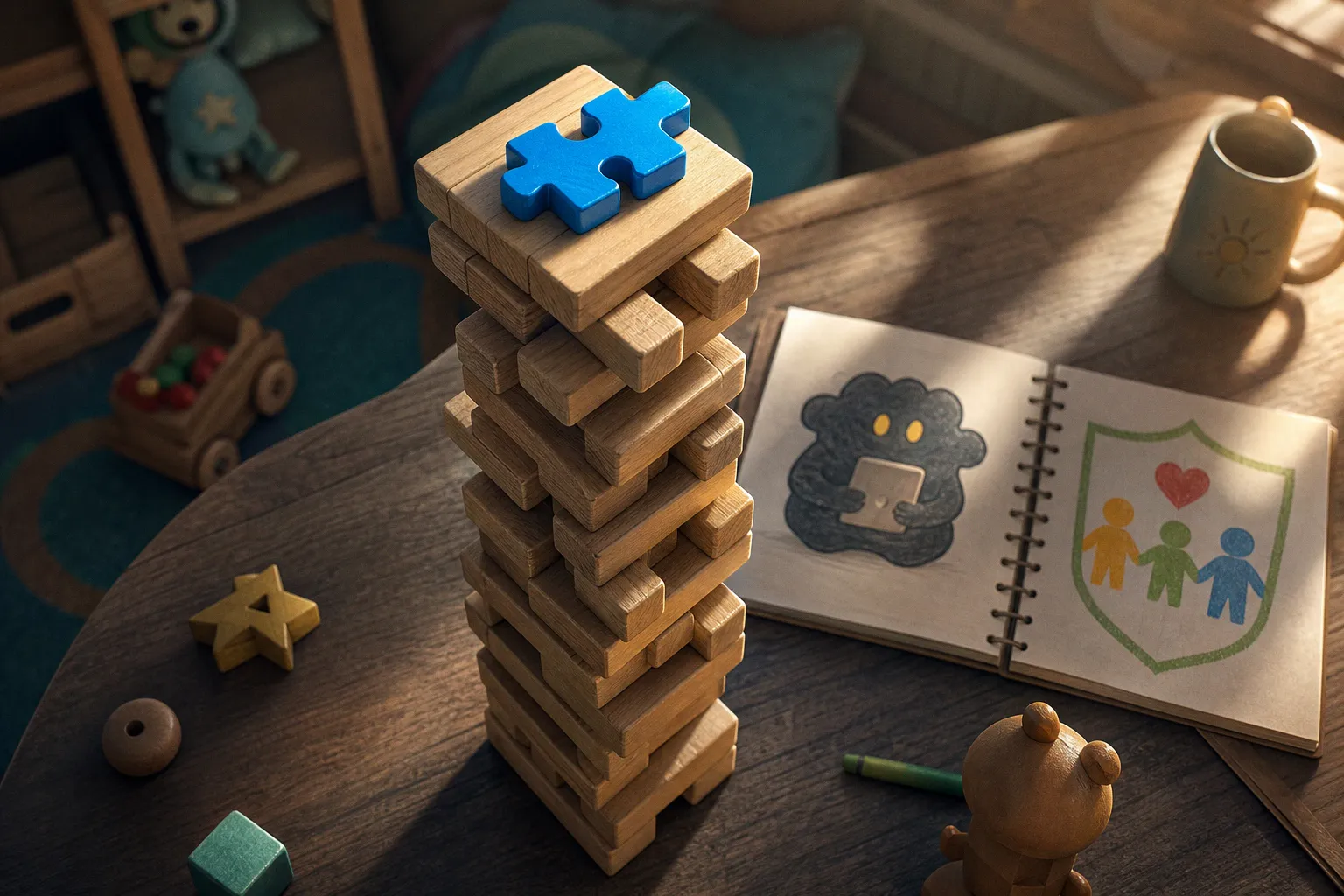
Meanwhile, your five-year-old is tapping a treasure chest for 14 minutes, watching coins burst across the screen, and learning precisely nothing except that bright things make noise.
That is the distraction trap. And it is not a small problem. Research published in JAMA Network Open found that 80% of popular apps for children ages 3 to 5 included at least one manipulative design feature. The app may say "Learn Letters." Its actual product is another ten minutes of attention.
I have crash-tested enough kids' apps to recognize the pattern fast: a decent phonics activity buried under a carnival of badges, locked screens, fake urgency, and cartoon characters begging not to be left behind. This is not neuroplasticity at work. It is a dopamine vending machine wearing a backpack.
The best learning apps for 5 year olds do something less flashy and far more useful. They make the child think, respond, remember, explain, and try again. Then they get out of the way.
The hidden cost of "free" play
A free app is not automatically a bad app. But "free" often means somebody else needs to make money from your child's attention, behavior, or purchasing pressure. That changes the design brief. Learning becomes the bait. Retention becomes the business model.
For a five-year-old, this distinction is not academic. At that age, executive function is still under construction. Kids are not supposed to be good at resisting flashing buttons, countdown clocks, or a beloved character saying, "Come back! I miss you!" Adults struggle with that garbage. Expecting a kindergartener to calmly ignore it is absurd.
The common failure sequence looks like this:
1. The app starts with a legitimate activity. Match shapes. Trace letters. Count ladybugs. Fine.
2. It interrupts success with a reward spectacle. Confetti, coins, stickers, spinning wheels, a new costume for a mascot. The reward becomes more memorable than the skill.
3. It introduces friction around leaving. A "one more game" prompt, a hard-to-find exit, or a screen that loops back into another activity.
4. It applies pressure. "Limited offer." "Unlock now." "Your friend is waiting." Suddenly the preschool app is running retention tactics that would make a mobile casino nod approvingly.
The 2022 study broke manipulative design in children's apps into four major types. Navigation constraints were found in 45.9% of apps studied; attractive lures appeared in 45.1%. Parasocial pressure showed up in nearly a quarter, while fabricated time pressure appeared in 17.3%.
That is not a rare bad apple. That is the orchard.
If an app needs to make leaving difficult, it has already told you what it values more than learning.
A newer 2026 study from Queensland University of Technology reached a similarly ugly conclusion for apps aimed at children ages 5 to 8: 15 of the 20 popular apps examined contained deceptive design patterns. Paid apps were not automatically clean, either. A subscription can remove ads and still leave behind engagement loops designed to keep small fingers tapping.
So no, price is not your filter. The child's experience is.
The four tricks that turn a learning app into a tiny attention casino
I do not expect parents to read every privacy policy, map every menu path, and reverse-engineer every reward loop before allowing a dinosaur puzzle onto the tablet. You have better things to do. But you can spot the biggest traps in one supervised session.
1. Navigation constraints: the app that will not let go
Navigation constraints are exactly what they sound like: design choices that make it harder to leave, switch activities, or return to a parent-controlled screen.
Watch for:
- Exit buttons hidden in a corner, tiny, or placed behind multiple taps.
- Activities that automatically launch another activity without pausing.
- Menus that push the child toward "continue" while burying "home."
- A stream of "recommended" games that appears immediately after each task.
- Parent gates that are clumsy enough to frustrate adults but somehow appear every time a child taps a shiny locked item.
A high-quality preschool learning app has a clear beginning, middle, and end. A child completes a task. The app acknowledges it. The child can stop. Revolutionary concept.
If the app acts like the tablet has become its property, delete it.
2. Attractive lures: rewards that hijack the lesson
A reward is not inherently manipulative. Children enjoy feedback. They should. "You found all five rhyming words" is useful feedback. A short animation after effort can create positive momentum.
The problem starts when the reward becomes the main event.
I look for the ratio between learning time and celebration time. If a child spends 15 seconds identifying a letter and 20 seconds watching gems explode, the app has its priorities backwards. It is training anticipation of the reward, not recognition of the letter.
Red flags include:
- Loot-box-style mystery prizes.
- Spinning wheels after every round.
- Collectible currencies with no learning function.
- Costumes, pets, rooms, or accessories that require repetitive tapping to unlock.
- Constant visual motion around the learning task itself.
A good app uses rewards as punctuation. A bad one turns every sentence into fireworks.
3. Parasocial pressure: the cartoon character with a guilt trip
This one makes my skin crawl. A mascot can be warm, funny, and useful. Young children often learn well through a familiar guide. But the character crosses a line when it pressures the child to keep playing or creates emotional discomfort around stopping.
"You're back!" is fine.
"Don't leave me!" is not fine.
Neither is a character who looks sad when the child closes the app, suggests that progress will be lost if they stop, or keeps calling them back through notifications. Five-year-olds are still sorting out the difference between a friendly fictional guide and a relationship that carries obligations. Do not hand that developmental vulnerability to a retention team.
4. Fabricated time pressure: fake urgency, real stress
There are games where time pressure is part of the actual learning design. A fast-paced family quiz can be fun. A timed mental-math challenge may suit a child who already enjoys number fluency.
But preschool learning does not need a blinking countdown to teach basic shapes.
Fake urgency usually appears as:
- "Claim your reward before it disappears!"
- Limited-time digital items.
- A countdown before the next puzzle starts.
- Prompts implying that an offer, streak, or character interaction will vanish.
- Notifications engineered to create fear of missing out.
That is not a lesson. It is a sales tactic scaled down for small hands.
For five-year-olds, I want cognitive effort without manufactured panic. Give them time to sound out a word, rotate a shape in their head, or retell part of a story. The useful friction is in the thinking. Everything else is noise.
Test an app before your child does
Here is my practical stress test for learning apps for preschoolers. It takes about ten minutes. Do it before handing over the tablet, not after your child has already bonded with a pixelated puppy who wants $6.99 worth of hats.
1. Open the app with airplane mode enabled. If it becomes unusable without a live connection, ask why. Some content genuinely needs downloading or updates. But a simple letter game that collapses without internet may be built around ads, tracking, or constant prompts.
2. Try to leave every screen. Can you get back to the home page in one or two obvious taps? Can you close an activity without being ambushed by another? If navigation feels slippery to you, it is worse for a five-year-old.
3. Complete three activities in a row. Count how often learning gets interrupted by celebrations, offers, upsells, or "next game" prompts. A little feedback is healthy. An app that throws a parade every 30 seconds is farming attention.
4. Make a deliberate mistake. The response matters. Does the app explain, model, and invite another try? Or does it buzz, flash red, and rush forward? Good educational design makes errors informative. Bad design makes errors feel like failure.
5. Check what the child must do with their brain. Tapping the correct answer after a character says it is recognition. Better than nothing, but thin. Ask whether the app requires recall, prediction, sorting, explanation, or applying a rule in a new context. Those are the moves that support transfer beyond the screen.
6. Inspect the purchase and ad paths. Tap locked items. Watch what happens after a free session ends. Check whether ads appear between tasks, whether a child can trigger a store page, and whether "free trial" language shows up in the middle of play.
7. Stop after ten minutes. This is my favorite test. Tell the child it is time to close the app. If the app helps the transition with a natural stopping point, good. If it deploys a finale of coins, pleading mascots, and one-more-round bait, it has failed the family test.
A learning app should create a conversation after play, not a negotiation about why play cannot end.
What high-quality apps for five-year-olds actually do
The best educational apps for 5 year olds are not necessarily the ones with the most subjects, the loudest animation, or the highest app-store ranking. I am looking for instructional coherence: one activity connects to the next, and the child can feel a skill developing rather than merely surviving a sequence of mini-games.
Two consistently safer starting points are Khan Academy Kids and PBS KIDS Games. Both are free and are identified as options without ads or in-app purchases. That does not mean you should install them blindly and walk away. It means they clear a major hurdle that many "free" kids' apps trip over immediately.
Here is how I compare the app types parents usually encounter:
| App type | What it often does well | Where it goes wrong | My verdict for age 5 |
|---|---|---|---|
| Structured early-learning app | Builds early literacy, number sense, and routines through sequenced activities | Can become passive if the child only taps prompted answers | Strong choice when activities adapt gently and explain mistakes |
| Open-ended creative app | Supports storytelling, drawing, pretend play, and self-expression | May have little explicit academic instruction | Excellent companion to literacy and math apps; not a replacement for them |
| Character-based mini-game collection | Immediate engagement and familiar themes | Often fragmented, reward-heavy, and difficult to stop | Use selectively; test the reward loops first |
| "Brain training" app for kids | Promises memory, focus, or IQ gains | Frequently repackages simple tapping as cognitive science | Approach with raised eyebrow and low expectations |
| Ad-supported free app | Low barrier to entry | Ads, purchase pressure, and attention traps can bulldoze the lesson | Usually not worth the hassle for preschoolers |
A five-year-old does not need an app claiming to "boost intelligence in seven days." That phrase alone should make you reach for the uninstall button. Cognitive development is not a muscle you can pump with random reaction-time games. Working memory, language, flexible thinking, and self-regulation grow through repeated, meaningful practice across real contexts.
An app can contribute. It cannot substitute for play with blocks, conversation at dinner, being read to, getting bored, making up rules, losing a board game badly, and trying again.
The features I want to see
When I review screen time learning apps for kids, these are the green flags:
- A clear learning target. The activity is obviously about rhyming, number comparison, spatial reasoning, story sequence, or another specific skill. Not "tap whatever sparkles."
- Meaningful feedback. The app explains or demonstrates. It does not merely stamp "Great job!" on every tap.
- Age-appropriate challenge. Five-year-olds need manageable difficulty, not a conveyor belt of effortless wins. Desirable difficulty is real; relentless frustration is not.
- Low sensory clutter. One task, a few relevant visual cues, calm transitions. The child should be able to find the problem without excavating it from confetti.
- Natural stopping points. Short lessons, saved progress, and no punishment for quitting.
- Opportunities to talk. Prompts that invite a parent or sibling into the activity beat isolated tapping every time.
- Repetition with variation. This is where spaced repetition earns its keep. Revisiting a skill across different stories, puzzles, or examples helps it stick without becoming a grind.
Use the AAP's 5 Cs, not just a timer
The American Academy of Pediatrics still recommends no more than one hour a day of high-quality screen use for children ages 2 to 5, ideally with a parent co-viewing. That remains a sensible guardrail. But a timer by itself is a blunt instrument.
Twenty minutes with a calm, well-designed story app and an engaged adult can be valuable. Twenty minutes with an ad-riddled game that yanks a child from counting to costume collecting is not. Same device. Same duration. Wildly different cognitive meal.
The AAP's 5 Cs of media use gives families a better lens than a countdown clock. It breaks the question down into five things worth thinking about before, during, and after screen time: the Child, the Content, Calm, Crowding out, and Communication. That framework is much closer to how families actually live.
Child: match the app to this child, not an imaginary average child
A child who loves letters may happily work through phonics games but disengage from number drills. Another may need movement, stories, or cooperative play before a concept lands. Watch the child, not the age label.
Also watch for overstimulation. If your child exits an app more frantic than when they entered it, that is data. Do not call it "engagement" just because the app store does.
Content: ask what the child is practicing
Not what the app claims. What is the child physically and mentally doing?
Are they listening for sounds in words? Comparing quantities? Making choices in a story and explaining them? Planning a route through a puzzle? Or are they just locating the biggest glowing button?
The distinction is brutal and simple.
Calm: does the app leave the child more regulated or less
This is the C that often gets skipped, and it is the one I watch most closely at age five. Calm is about whether the media use leaves a child's nervous system more settled or more jangled. A short phonics app with quiet music, gentle pacing, and a clear ending tends to leave a child steady. An endless runner with buzzing sound effects, flashing rewards, and looping urgency tends to leave them buzzy, clingy, and slow to transition.
I treat post-app mood as a real data point. If my child hops off a tablet and immediately needs to climb the couch or starts snapping at a sibling, the app failed the calm test even if the activities looked educational on paper.
Crowding out: check what the app is displacing
A five-year-old's tablet use cannot be judged in a vacuum. If screens are pushing aside sleep, outdoor play, family meals, reading, conversation, or unstructured boredom, the app's educational label does not rescue the equation. The "crowding out" C is the one that asks the uncomfortable question: what is this screen time replacing?
Average daily screen time for U.S. children ages 5 to 8 has been reported at 3.5 hours. That is not an indictment of every family. It is a reminder that digital minutes accumulate fast: a game here, a video there, a "just while I cook" session that turns into a full episode and a half. The cumulative displacement of sleep, talk, and free play matters more than any single session.
I find it useful to write down what got skipped on heavy-screen days. You will see the trade-off faster than you feel it.
Communication: make the rules visible and boring
The best digital boundaries are not dramatic. They are predictable.
Set the rule before opening the app: "Two activities, then we stop." Use device-level parental controls for the hard limit. Keep the timer where the child can see it. Narrate the transition out loud: "Two more minutes, then we're going to the kitchen to make lunch." Do not negotiate from inside the app's reward loop. The app is built to win that negotiation. You are not.
After play, talk about what happened. Not as an interrogation, but as a small debrief:
- "What was the trickiest part of that puzzle?"
- "Did anything in the game remind you of the book we read yesterday?"
- "Which character did you like, and what did they do that was kind?"
That tiny conversation is where learning starts to transfer. The app provides the prompt; you provide the human brain that can connect it to the world.
Co-viewing is not passive supervision
Co-viewing does not mean sitting nearby while scrolling your own phone. It means turning the digital activity into shared thinking.
Try questions like:
- "Why do you think that word rhymes with cat?"
- "What would happen if we put the biggest block at the top?"
- "Can you find another thing in this room shaped like that?"
- "The character chose that path. What would you choose?"
The adult's job is to be the bridge between the screen and the rest of the child's life.
How to choose learning apps for preschoolers without losing a weekend
The marketplace is loud, the reviews are paid, and the age recommendations are optimistic. A few habits cut through the noise.
First, decide what you want the app to do before you open the store. "Help my child practise letter-sound matching" is a real brief. "Something educational for the car" is not. Specificity saves you from downloading seventeen mediocre apps and abandoning all of them.
Second, prioritize the child's actual interests, then check whether the app treats those interests with respect. A child obsessed with trains will happily do counting tasks on a virtual railway if the app is built with care. The same child will bounce off a generic counting app with no theme at all.
Third, lean on developer reputation and curation from sources you trust, including teacher-reviewed lists and pediatric guidance. A studio with a track record of working with educators and child-development researchers is a different bet than a studio whose website is mostly emoji and "Play free now!" buttons.
Fourth, run the stress test I described earlier, in order, before your child ever sees the icon. The ten minutes you spend there will save you from a hundred sessions of trying to pry your child off a manipulative app.
Fifth, rotate. Even good apps lose their edge when they become a default. A small rotation of two or three high-quality apps, used for specific purposes on specific days, beats a single app on repeat.
Finally, remember that the best educational apps for 5 year olds free of charge do exist, but "free" only helps if the rest of the design holds up. Ad-free, purchase-free options from established educational organizations are the closest thing to a safe default on the market today. From there, your supervision and your conversations do the rest.
The app is the practice room. You are the teacher. The child is the musician. None of those roles work alone.
A five-year-old's brain is busy building the architecture for everything that comes later: language, attention, emotional regulation, problem-solving, and the slow discovery that effort produces results. Anything you put in front of that brain during the building years is part of the blueprint. Choose accordingly, supervise accordingly, and do not be afraid to close the app.